On this page
In short
Yes. GeForce NOW, Boosteroid and Shadow all have native Mac apps, while Xbox Cloud Gaming and Amazon Luna work through a browser. PlayStation Plus cloud streaming does not support Mac. For most people GeForce NOW is the best place to start: its macOS app supports up to 5K, HDR and high frame rates, depending on your plan and hardware.
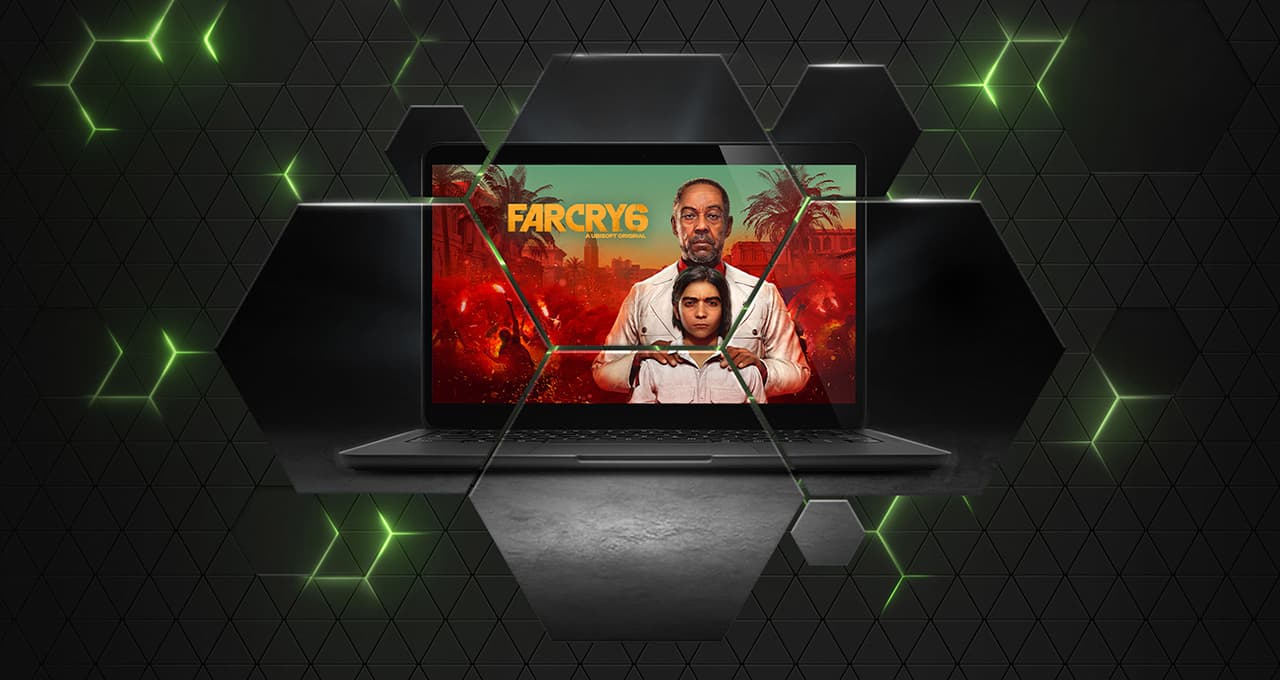
Most PC games are built for Windows, which has always made gaming on a Mac more complicated. Cloud gaming avoids most of that, because the game runs remotely and your Mac only has to stream the video.
| Service | On a Mac | What it needs |
|---|---|---|
| GeForce NOW | Native macOS app | Games you already own, on Steam, Epic, GOG, Ubisoft Connect, EA app or Battle.net. |
| Boosteroid | Native macOS app | Games you already own. macOS 10.13.6 or later. |
| Shadow | Native macOS app | A subscription to a remote Windows PC rather than a game catalogue. |
| Xbox Cloud Gaming | Browser only | Any Game Pass plan, and macOS 14.1.2 or later. |
| Amazon Luna | Browser only | Prime, or one of Luna’s paid channels. |
| PlayStation Plus Premium | Not supported | Sony streams to PS5, PS4, Windows and the PlayStation Portal. |
GeForce NOW works best through the Mac app
GeForce NOW supports macOS 10.15 or later, on Macs released in 2009 or newer. The native Mac app also supports NVIDIA’s higher-end features: 4K and 5K streaming, ultrawide resolutions, RTX, HDR, Cloud G-SYNC and frame rates up to 360 fps, on compatible plans and hardware.
If you use GeForce NOW regularly on a Mac, install the app. The browser version works — Safari 16.4 or later, Chrome 77 or later, or Opera GX at play.geforcenow.com — but several of those features are only available in the app.
HDR, and which Macs support it
HDR10 and 10-bit colour are Performance and Ultimate features. NVIDIA lists the eligible hardware: a MacBook from 2017 or later, a MacBook Air from 2018, a MacBook Pro from 2018, an iMac from 2020, a Mac mini from 2018, a Mac Pro from 2019, or any iMac Pro or Mac Studio. Ten-bit colour covers every Apple-silicon Mac. On a MacBook Air, HDR on an external display needs an Apple-silicon model.
Xbox Cloud Gaming: browser only on Mac
There is no Mac app. You play at xbox.com/play with any Game Pass plan, Essential, Premium or Ultimate, and Microsoft asks for macOS 14.1.2 or later with Safari 16.0, Microsoft Edge, or Chrome 85 or later.
Mouse and keyboard controls work in Edge and Chrome, but not in Safari. If you want to play with a mouse on a Mac, use one of those two.
| Browser | On a Mac |
|---|---|
| Safari | Usually the most convenient option if you are playing with a controller. Versions before 17.0 have party-chat audio problems. |
| Edge or Chrome | The only way to use a keyboard and mouse in a cloud session on a Mac. |
Amazon Luna and Shadow on Mac
Amazon Luna runs in a browser at luna.amazon.com. Amazon publishes apps for Fire TV, Windows, Android and some TVs, but not for macOS. Part of the catalogue comes with Prime, with paid channels on top.
Shadow works differently from the other services here. Instead of giving you access to a catalogue or to games you own, it gives you a full remote Windows PC. That makes it more flexible, but also more expensive, and probably unnecessary if you just want to launch a few games.
PlayStation Plus does not support Mac
PlayStation Plus cloud streaming does not support macOS. Sony offers it on PS5, PS4, Windows PCs and the PlayStation Portal, and there is no Mac app or browser version.
Some games published by Sony have PC versions that appear on other services, so an individual title may still be reachable. Our catalogue answers that per game.
Connection requirements
NVIDIA publishes the clearest figures, and they are a reasonable guide to the other services: 15 Mbps for 720p at 60 fps, 25 Mbps for 1080p at 60, 35 Mbps for 1440p or ultrawide at 120, 45 Mbps for 4K at 120, and 65 Mbps for 5K at 120. It also asks for latency under 80 ms to its data centres.
- Use the 5 GHz band, or ethernet through a dock or adapter.
- Any Bluetooth controller pairs in System Settings, including an Xbox or DualSense pad.
- Close anything else using the connection heavily, such as a video call.
- Our Servers page shows which regions are busy before you start a session.
Limitations
- Nothing works offline, which matters more on a laptop.
- Competitive games with kernel-level anti-cheat are missing from most services, and a Mac cannot run them locally either.
- GeForce NOW and Boosteroid stream games you already own, and the service still has to support them. Xbox Cloud and Luna give you a catalogue that ends when the subscription does.
- Catalogues differ by country.
- Session limits and monthly hour caps apply on the paid tiers.
Start on the GeForce NOW free plan with games you already own. It costs nothing and tells you within an evening whether your connection is good enough.
Questions
Does GeForce NOW work on Mac?
Yes. GeForce NOW has a native macOS app and also works in supported browsers.
Is there a GeForce NOW app for Mac?
Yes. The native app supports higher resolutions, HDR and higher frame rates, depending on your plan and hardware. The browser version does not.
Does it work on an M1, M2, M3 or M4 Mac?
Yes. The game runs on NVIDIA’s servers, so your Mac only decodes the video stream. Apple-silicon Macs also support 10-bit colour.
Can I play Xbox Game Pass games on a Mac?
Yes, in a browser at xbox.com/play with any Game Pass plan. Microsoft requires macOS 14.1.2 or later and Safari 16.0, Edge or Chrome 85 or later. There is no Mac app.
Which browser is best for Xbox Cloud Gaming on Mac?
Edge or Chrome if you want to use a keyboard and mouse, since Microsoft supports that input only in those two on a Mac. Safari works with a controller.
Does PlayStation Plus cloud streaming work on Mac?
No. Sony supports PS5, PS4, Windows and the PlayStation Portal. There is no Mac app or browser version.
Do I need Windows or Parallels?
No. The games run on remote Windows servers, so you don’t need Windows installed on your Mac.
Do I have to buy my games again?
It depends on the service. GeForce NOW and Boosteroid stream games you already own on stores like Steam and Epic. Xbox Cloud Gaming and Amazon Luna give you a catalogue while you subscribe.
Does Boosteroid have a Mac app?
Yes, since January 2023, for macOS 10.13.6 and later. It also runs in Safari or Chrome.
How fast does my internet need to be?
NVIDIA asks for 25 Mbps for 1080p at 60 fps and 45 Mbps for 4K at 120, with latency under 80 ms to its data centres. Use 5 GHz Wi-Fi or ethernet.
Can I use an Xbox or PlayStation controller with my Mac?
Yes. Both pair over Bluetooth in System Settings and work with these services.
Is cloud gaming better than running games on the Mac itself?
For games your Mac already runs well, no: local play has no queue, no monthly cap and no network dependency. For Windows-only games, or games too demanding for your hardware, streaming is the only option.
Every service, side by side, with live status and the plans as they stand today: compare the services.